
Access Your Patient Portal
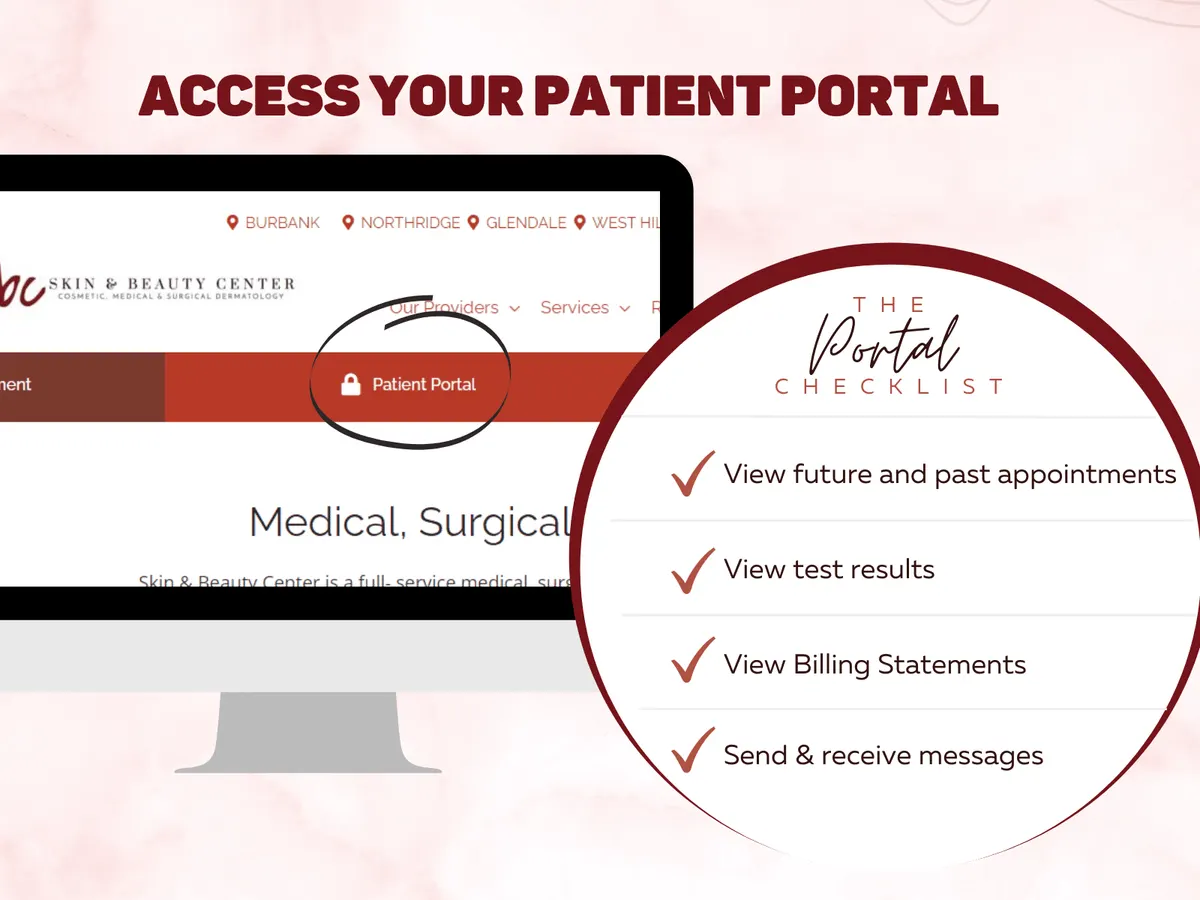
Skin & Beauty Center has launched
our new patient portal!
The Skin and Beauty Center team is happy to share that we have a new patient portal! Skin and Beauty Center has created a more informative, flexible, and progressive portal for patients like you!
We invite you to access the portal and enter all your information as this will help maximize your time for your next visit!
Watch this informative video
on how to access your portal!
Patient Portal Explained | Skin & Beauty Center
- The portal also allows you to make changes on your profile like insurance, address, pharmacy and health information.
It is important to update your information on the patient portal prior to each visit!
Step By Step Instructions To Access Your Portal
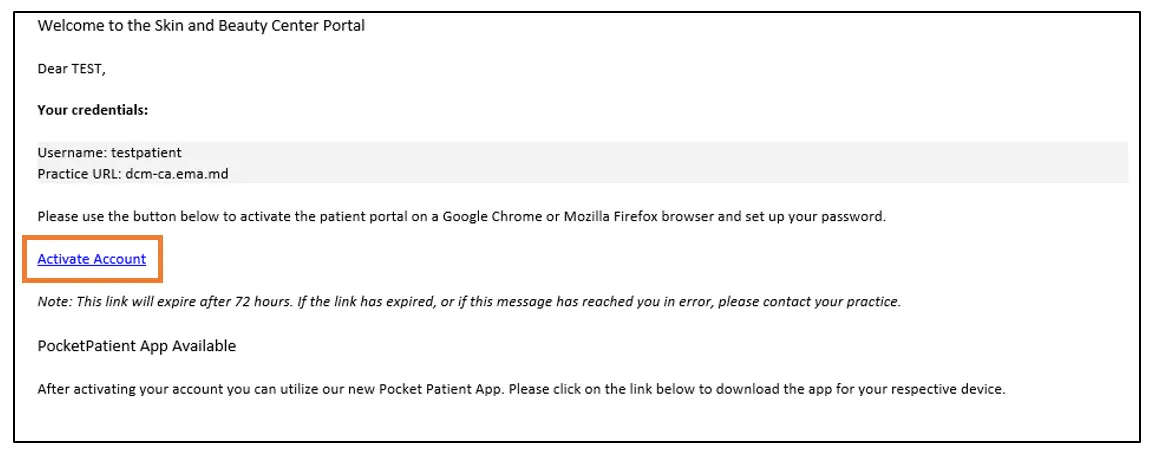
1. Once the patient portal is activated by the SBC staff, you will receive an email message. See sample email message below.
2. From the email message, click on the Activate Account blue hyperlink.
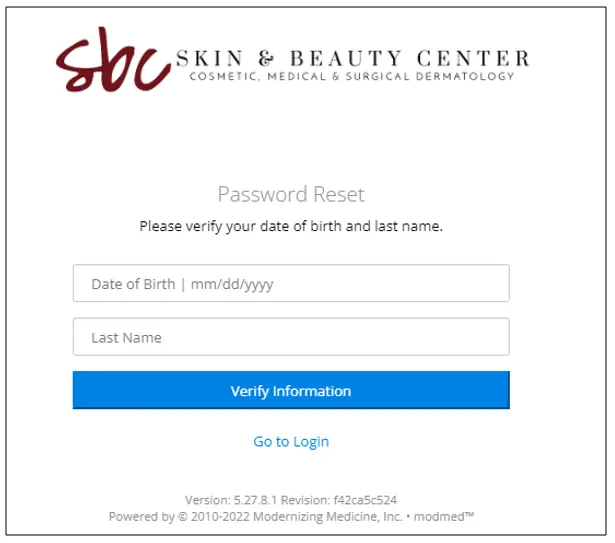
3. You will be directed to the Patient Portal Enter your date of birth and your last name. Then, select Verify Information.
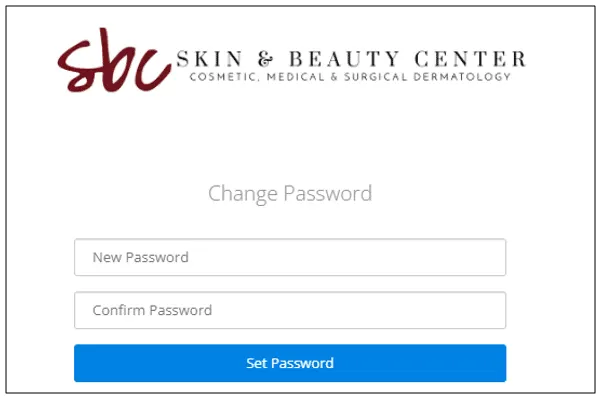
4. The system will prompt you to enter a password. Enter a new password of your choice and click on Set Password.
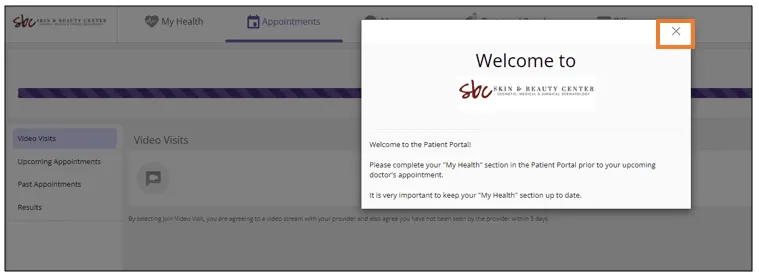
5. After setting up your password, you will be taken to the Skin and Beauty Center Patient Portal.
6. Close out the Welcome to pop-up message. Then, click on My Health.
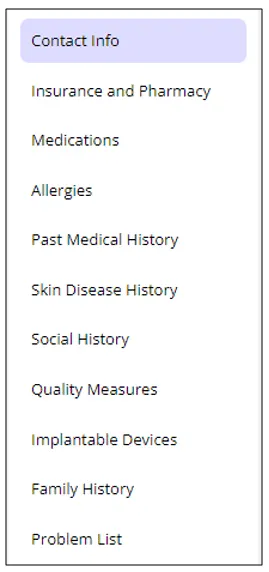
7. From the left panel, click on each tab to review and update your information.
8. Prior to your appointment, select your pharmacy, enter your medications, allergies, past medical history, and skin disease history.
NOTE: To add the pharmacy of your preference, click on Insurance and Pharmacy and select Add Surescripts Pharmacy. Search your pharmacy by entering the name and address in the filters. Once the pharmacy is identified, select the blue hyperlink of your pharmacy of choice.
9. To view your Upcoming Appointments, click on the Appointments tab.
10. To view test results sent by your provider, click on the Test and Results tab.
11. To pay your bill and view your statements, click on the Billing tab.




Contact Us
- Burbank Burbank, CA Call Burbank (818) 842-8000
- Northridge Northridge, CA Call Northridge (818) 886-3884
- Glendale – South Glendale, CA Call Glendale – South (818) 246-4936
- West Hills West Hills, CA Call West Hills (818) 884-8044
- Santa Clarita Valencia, CA Call Santa Clarita (661) 258-3811
- La Cañada - Verdugo Hills La Cañada, CA Call La Cañada - Verdugo Hills (818) 790-3588
- Pasadena Pasadena, CA Call Pasadena (626) 792-2378
- Westlake Village Westlake Village, CA Call Westlake Village 805-725-6414
The form is loading. If it does not appear, call (877) 822-2223.